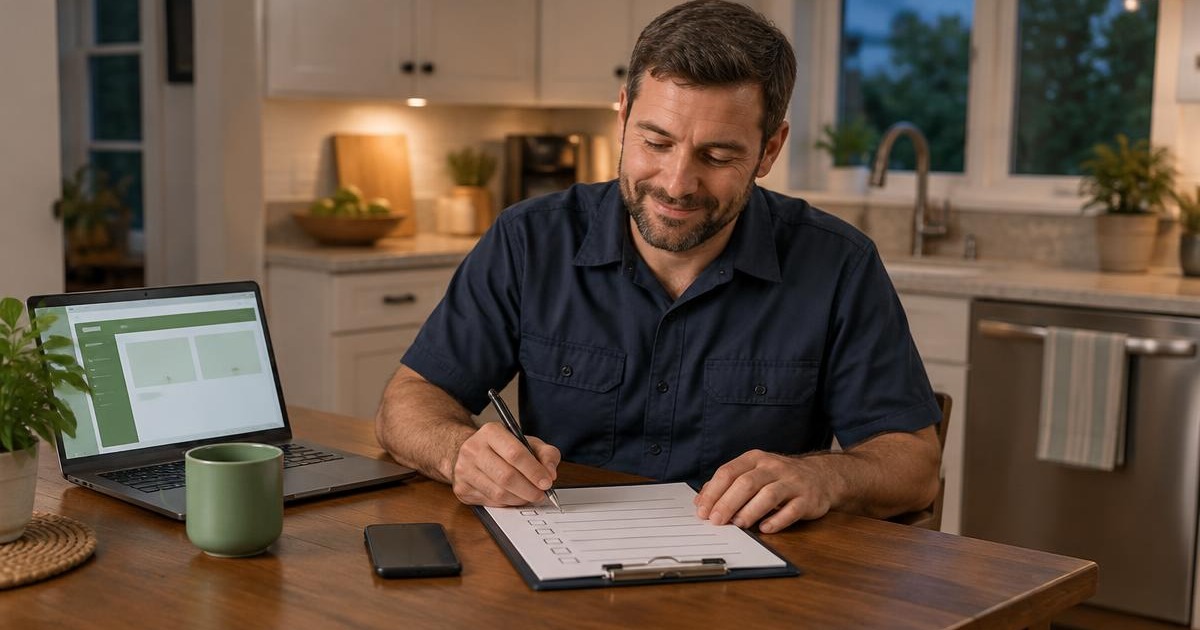
You don't need an AI strategy. You need your Sunday night back.
This one is for owners of roofing, HVAC, plumbing, electrical, tree service, cleaning, and landscaping companies who keep hearing about AI and still haven't found the part that saves them real time. Not a webinar. Not a new dashboard. Hours back in your week.
Here's what I've learned working with contractors on this. The owners who get value from AI don't start with the tool. They start with the job they hate doing. Then they hand that one job to AI, check the work, and move on to the next one.
That's what this article is. Eight jobs you can hand off this week, the exact words to type, and the handful of jobs you should never hand to AI at all.
Where the trades really are with AI
Most of you have tried it. Far fewer use it every week.
Housecall Pro surveyed over 400 home service contractors in 2025. Over 70% had tried AI tools, but only about 40% were using them actively. The ones who stuck with it reclaimed over four hours a week from admin tasks. And the work they handed off was back-office work, not field work: marketing, customer service, scheduling, and paperwork.
ServiceTitan's newest survey, from September 2026, covered 1,017 contractors. 66% of AI users said they're saving at least three hours a week. But here's the part I find more interesting. Only 11% place high or complete trust in the AI tools they use, and 58% report little or no trust. The top barriers were not understanding how to use AI in their business (44%) and no clear use cases (43%).
So the problem isn't that contractors are against AI. It's that nobody showed them where to point it. Let's fix that.
The one rule before you start
Use AI for words. Never for facts you haven't checked.
AI is very good at taking your rough notes and turning them into a clean email, a scope of work, a review reply, or a social post. It's very bad at knowing things it wasn't told. It will make up a building code, a warranty term, or a price, and say it with total confidence.
So the pattern for every job below is the same. You give it the facts. It does the writing. You read it before it goes anywhere. That's it.
Check what you already pay for
Before you buy anything new, look at your field service software. Most of the big ones added AI in the last year.
•Jobber has an AI Receptionist that answers calls and texts, books visits, and flags urgent words like "burst pipe" or "no heat." It also has Jobber Copilot, a built-in assistant.
•Housecall Pro has its "AI Team," including a CSR AI for answering calls and chats (24/7 call answering is a paid add-on), plus Analyst, Coach, and Marketing AI included on all plans.
•ServiceTitan has Atlas, an assistant that answers questions from your ServiceTitan data, manuals, and spec sheets, and helps techs, CSRs, and dispatchers.
These tools already know your customers and your schedule. A general chatbot doesn't. If your software has it, try it first.
For everything else, a general AI assistant like ChatGPT, Claude, Microsoft Copilot, or Google's Gemini will do the job. More on picking one below.
8 jobs to hand off this week
For each one, I'll tell you what it saves, what to type, and what to check. Copy the prompts. Change the parts in brackets.
1. Turn your field notes into a clean scope of work
What it saves: The 20 minutes at the kitchen table every night rewriting chicken-scratch notes into something a homeowner can read.
Record a voice memo in the driveway after the estimate. Most phones will transcribe it for you. Then paste the transcript in:
You are writing a scope of work for a homeowner from a [roofing/HVAC/plumbing] contractor.
Use only the notes below. Do not add any work, materials, or measurements that are not in the notes.
If something is unclear, write [VERIFY] next to it.
Write it in plain English, short sentences, organized by area of the home.
Do not include prices.

Notes: [paste your transcript]
What to check: Every measurement, material, and model number. Then add your pricing yourself.
2. Write follow-ups for estimates that went quiet
What it saves: The follow-up you keep meaning to send and never do. That's money sitting in your pipeline.
Write a short, friendly follow-up text message (under 300 characters) to a homeowner
who got an estimate from us [X] days ago for [job] and hasn't responded.
Our company is [name]. My name is [name].
Do not offer a discount. Do not use pressure or urgency.
Give them an easy way to say "not right now." Write 3 versions.
What to check: That it sounds like you. Pick one version and save it as a template so you never have to write it again.
3. Reply to every Google review
What it saves: Ten minutes a day, and it gets done instead of piling up.
Write a reply to this Google review for [company name], a [trade] company in [town].
Thank them by first name. Mention the specific job they described.
Keep it under 60 words, warm, and plain. No exclamation points stacked up.
Do not mention any other customers or private details.

Review: [paste review]
For a bad review, ask for a calm, short reply that takes the conversation offline, then rewrite it in your own words before you post. Bad reviews deserve your personal attention. Here's how to respond to negative reviews without making it worse.
4. Turn a finished job into a Google post and a social caption
What it saves: The blank-screen problem. You have the photos. You just don't know what to say.
I just finished this job: [what you did], in [town], for a [type of home].
The problem was [problem]. We [solution]. It took [time].
Write:
1) A Google Business Profile update under 150 words, with the town name included naturally.
2) A Facebook caption under 80 words.
Plain, proud but not bragging. Do not invent details.
What to check: Facts, the town name, and that you have the homeowner's okay to share the photos. Keep the location data in your job photos, too. It's proof you work where you say you work. More on that in prove you're local with job site photos.
5. Explain the problem to the homeowner in plain English
What it saves: The second phone call where you explain it all again because the homeowner didn't understand the first time.
I need to explain this to a homeowner who is not technical: [what you found and why it matters].
Write a short explanation (under 150 words) at an 8th grade reading level.
Explain what it is, why it matters, and what happens if they wait.
Do not exaggerate the risk. Do not use scare words.
What to check: Accuracy, every time. You're the expert here. AI is just the translator.
6. Write job postings that attract real techs
What it saves: An afternoon of staring at a blank job ad, and weeks of the wrong applicants.
Write a job posting for a [position] at [company], a [trade] company in [town].
Here is what the job really involves: [day in the life].
Here is what we offer: [pay range, schedule, truck, tools, training, benefits].
Here is who does NOT fit: [deal breakers].
Write it like a person talking, not HR. Under 350 words.
What to check: Pay, benefits, and anything that could be a legal promise. Have whoever handles your HR look at it.
7. Make sense of long documents
What it saves: Reading 40 pages of manufacturer installation specs, a supplier contract, or a commercial bid package to find the three things that matter.
Summarize this document for a [trade] contractor.
List: what I'm required to do, deadlines, anything that could cost me money or void a warranty,
and anything unusual. Quote the exact section for each point.
What to check: The quoted sections. Asking it to quote the source is how you catch it making things up. For contracts, AI is a first read, not a lawyer.
8. Plan your week and your crew meeting
What it saves: The Monday morning scramble.
Here is my rough list for this week: [paste everything in your head].
Organize it into: must happen this week, can wait, delegate to [names].
Then write a 10-minute crew meeting agenda for Monday at 7am.
What to check: That it didn't drop anything. AI loves to "clean up" a list by leaving things out.
Bonus: Answer the phone when nobody can
This is the biggest time saver of all, and it's the one I'd set up first if your phones ring after hours. It's also the one that needs the most care. I wrote a whole article on it: AI receptionist vs. answering service: which one should a contractor pick?
What you should never hand to AI
•Diagnosing the problem. AI didn't see the furnace, the roof, or the panel. You did.
•Pricing and math. Use your estimating software and your own numbers.
•Safety calls. Gas smells, electrical hazards, a tree leaning on a line. A person decides.
•Contracts and legal answers. First read, maybe. Final answer, never.
•Customer personal data in a free account. More on that below.
•Mass-produced website pages. More on that below, too.
Keep customer data out of the free versions
Here's something most owners don't know. OpenAI's help center says ChatGPT improves by training on the conversations people have with it, unless you opt out. OpenAI says it does not train on content from its business offerings, like ChatGPT Business and Enterprise.
My rule for clients: don't paste customer names, addresses, phone numbers, insurance claim numbers, or anything else private into a free consumer AI account. If you need to do that kind of work, pay for a business plan that doesn't train on your data, and turn training off in the settings of any personal account you use. Better yet, use the AI built into your field service software, where your customer data already lives.
Don't let AI write your website for you
This is the one that hurts my heart, because I see it every week. An owner discovers AI can write a blog post in 30 seconds and publishes 50 of them. Six months later, their traffic hasn't moved, or it's dropped.
Google is clear about this. Its guidance says generative AI can be useful for researching a topic and adding structure to original content. But "using generative AI tools or other similar tools to generate many pages without adding value for users may violate" Google's spam policy on scaled content abuse. Google also says it's critical to fact-check and review all AI-generated content.
What works is the opposite. Content built from your real jobs, your real photos, your real answers to real customer questions. AI can help you write it faster. It can't be the source. Google rewards proof, not promises. Here's why AI-written content alone is about to stop working.
Which AI tool should you pay for?
Honestly, for the eight jobs above, the big general assistants are all good enough. Pick the one that fits the software you already use. Published prices as of November 2026:
| Tool | Price | Best fit |
|---|---|---|
| ChatGPT Plus | $20/month | One person, personal use |
| ChatGPT Business | $25/user/month billed monthly ($20 billed annually) | A team; OpenAI says it doesn't train on your data |
| Claude Pro | $20/month billed monthly ($17/month billed annually) | Long documents and writing |
| Microsoft 365 Copilot (Business) | Add-on to Microsoft 365; Copilot Chat is included with eligible plans | Your office runs on Outlook, Word, and Excel |
| Gemini in Google Workspace | Included in Business Standard and Plus | Your office runs on Gmail and Google Docs |
Start with one. Use it for 30 days. If you're not saving at least two hours a week by then, you're using it for the wrong jobs, not the wrong tool.
Your first week
•Monday: Pick one tool. Set up the account. Turn off training on your data if it's a personal plan.
•Tuesday: Do job #2. Send follow-ups on every estimate from the last 30 days that went quiet.
•Wednesday: Do job #3. Reply to every unanswered Google review.
•Thursday: Do job #1 after your next estimate. Time yourself.
•Friday: Do job #4 for your best job of the week. Then save every prompt that worked in one note on your phone.
By Friday you'll know if this is saving you time. Most owners I work with are surprised how fast it adds up.
Frequently asked questions
What is the best AI tool for a home service business?
Start with the AI built into the field service software you already use, like Jobber, Housecall Pro, or ServiceTitan, because it already knows your customers and schedule. For writing, follow-ups, and documents, ChatGPT, Claude, Microsoft Copilot, and Google Gemini all work well. Pick the one that fits the email and office software you already use.
How much time can AI save a contractor?
In Housecall Pro's 2025 survey of over 400 home service contractors, AI adopters reclaimed over four hours a week from admin tasks. In ServiceTitan's September 2026 survey, 66% of contractors using AI said they save at least three hours a week. The savings come from office work like follow-ups, write-ups, and reviews, not field work.
Is it safe to put customer information into ChatGPT?
Not in a free consumer account. OpenAI says it trains on consumer conversations unless you opt out, and that it does not train on content from business offerings like ChatGPT Business. Keep customer names, addresses, phone numbers, and claim numbers out of free tools. Use a business plan or the AI inside your field service software.
Can I use AI to write my website content and blog posts?
You can use it to help, but not to mass-produce pages. Google's guidance says generating many pages with AI without adding value for users may violate its spam policies. Use AI to organize and polish content that comes from your real jobs, photos, and customer questions, and fact-check everything.
What should contractors never use AI for?
Diagnosing problems, pricing and math, safety decisions, final legal or contract answers, and anything involving private customer data in a free account. AI is good with words. It doesn't know your job site, your costs, or your local codes.
Do I need to pay for AI tools?
Not to start. Free versions are fine for testing the jobs in this article with no customer data. Once you're using AI weekly for customer-related work, a paid business plan around $20 to $25 per user per month is worth it for the data protection alone.
The bottom line
The contractors getting real value from AI aren't the most tech-savvy ones. They're the ones who picked one boring job, handed it off, checked the work, and did it again the next week.
Start with the job you hate most. Use the prompt. Read before you send. That's the whole strategy.
Want AI working for your business without the trial and error? At Resonating Brands, we build next generation websites, voice agents, and follow-up systems for home service contractors, set up for how you actually run your day. Contact us and tell us which job is eating your week.
Want the roofing-specific version? Read AI for roofing companies: the honest starter guide.
Sources
•ServiceTitan, "Report finds contractors shifting focus from AI adoption to implementation and productivity", September 29, 2026
•R&R Magazine, "70% of home service professionals now use AI to cut admin work, not field jobs: Housecall Pro report", June 2, 2025
•Jobber, AI Receptionist
•Housecall Pro, AI Team
•ServiceTitan, Atlas
•OpenAI, "How your data is used to improve model performance"
•Google Search Central, "Guidance on using generative AI content on your website", updated October 1, 2026
•Google Search Central, "Spam policies for Google web search"
•Pricing pages, read November 1, 2026: ChatGPT Plus, ChatGPT Business, Claude, Microsoft 365 Copilot, Google Workspace
Janette O'Shaughnessy is the founder of Resonating Brands, a boutique digital marketing agency based in West Michigan that specializes in next generation websites, voice agents, and lead generation systems for home service contractors.