By Janette O'Shaughnessy | Resonating Brands
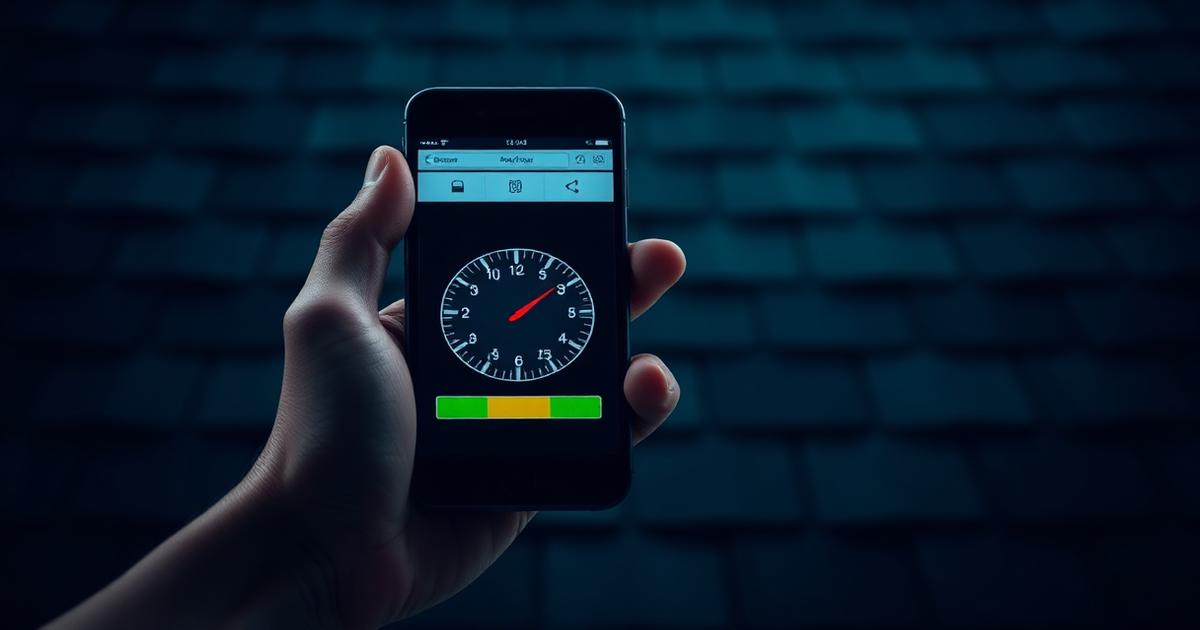
It's midnight. A homeowner hears a drip, grabs their phone, and searches "emergency roof repair near me." They tap the first result. Your website. Six seconds pass. Nothing loads. They hit the back button and call your competitor.
That scenario isn't rare — it's happening thousands of times a day across every market in America. And if your mobile website is slow, you're funding your competition's growth, one abandoned page at a time.
Here's the thing nobody tells roofers about mobile speed: it's not just a tech problem. It's a lead problem. A revenue problem. And right now, it's more urgent than it has ever been.
Why Mobile Is Everything for Roofers
More than 70% of local roofing searches now happen on smartphones. Not on laptops at kitchen tables. On phones — in driveways, on rooftops, in parking lots after a hailstorm. That means when a homeowner in your market types "roof replacement" or "emergency roof repair," they're almost certainly doing it from their pocket.
Google recognized this shift years ago. By mid-2024, Google completed its full transition to mobile-first indexing, which means the mobile version of your website is the version Google actually uses to evaluate, crawl, and rank your site. Your beautiful desktop site? It's secondary. If your mobile experience is slow, clunky, or broken, Google treats your entire site that way.
And it gets stricter. Google's March 2026 core update increased the weight of Core Web Vitals in its ranking algorithms. Speed is no longer a tiebreaker — it's a front-line ranking factor.
The Speed-to-Lead Reality
Let's talk numbers, because this is where it gets real.
53% of mobile visitors abandon a website that takes longer than 3 seconds to load. That's more than half your potential customers — gone before they've seen your phone number, your reviews, or a single photo of your work.
But it gets worse the longer you wait:
•Load time goes from 1 second to 3 seconds → bounce rate increases 32%
•Load time goes from 1 second to 5 seconds → bounce rate increases 90%
•Load time exceeds 10 seconds → bounce rate can hit 123% higher than a 1-second load
What does that mean for your business? A site that takes 5+ seconds to load on mobile could be turning away 9 out of 10 potential leads before they ever see your call-to-action.
And here's the conversion math that should keep you up at night: every 100 milliseconds of additional load time costs approximately 1% in conversions. For a roofing company generating $500,000 in revenue annually from its website, a 3-second mobile load time versus a 1-second load time could mean $150,000 or more in lost revenue every year.
Meanwhile, the average mobile page globally still takes 8.6 seconds to load. That's the competition you're swimming in. The roofer who hits 2 seconds wins by default.
What Google Is Actually Measuring: Core Web Vitals Explained
Google doesn't just look at a generic "speed score." It measures three specific, user-experience-centered metrics called Core Web Vitals. These are the official metrics Google uses to score your page experience — and they have a direct impact on your search rankings.
LCP — Largest Contentful Paint (Loading Speed)
LCP measures how quickly the biggest visible element on your page — usually your hero image or headline — fully renders for the user.
Google's "Good" threshold: under 2.5 seconds.
Think of it this way: LCP is the moment your homeowner sees something meaningful on their screen. If your hero image is a 4MB photo of a freshly shingled roof uploaded straight from your camera, you're failing this metric on every mobile visit.
Right now, only 43% of mobile sites pass LCP — meaning the majority of websites your prospects visit, including many of your competitors, are failing this threshold. The opportunity is wide open for the roofers who fix it first.
INP — Interaction to Next Paint (Responsiveness)
INP replaced the older First Input Delay (FID) metric in March 2024 and is now Google's standard for measuring how responsive your site feels. It tracks how quickly your page responds when a visitor taps a button, opens a menu, or clicks a link.
Google's "Good" threshold: under 200 milliseconds.
This is the metric that trips up most roofing websites. A slow menu response, a form that hesitates before loading, a phone number that takes an extra half-second to register a tap — these frustrations drive mobile users away instantly. INP is now the most commonly failed Core Web Vitals metric. Only 65% of mobile sites pass it.
CLS — Cumulative Layout Shift (Visual Stability)
CLS measures how much your page jumps around while loading. You've felt this: you're about to tap "Call Now" and the page shifts and you tap an ad instead.
Google's "Good" threshold: under 0.1.
CLS is the most forgiving of the three — 74% of mobile sites currently pass it — but it still trips up image-heavy roofing sites that load photos without defined dimensions, causing the layout to shift as visuals load in.
How Roofing Websites Are Scoring Right Now
Here's a sobering benchmark: only 42% of mobile websites currently pass all three Core Web Vitals. Fewer than half. That means more than half of roofing competitors in your market are likely underperforming on mobile speed — and Google knows it.
The data on rankings is even more compelling:
•91% of pages ranking in position #1 on Google pass all three Core Web Vitals
•Only 47% of page 2 results pass all three
•Sites with all Core Web Vitals rated "Good" have an average ranking 3.2 positions better than sites with failing scores
•After Google's March 2026 update, 34% of sites that improved their Core Web Vitals saw ranking gains within 28 days
Translation: if your mobile site is slow, you are almost certainly not on page one. And if you're not on page one, you don't exist to the homeowner who just had hail punch through their shingles.
There's also a platform reality worth knowing. If your roofing website runs on WordPress (and most do), only 38% of WordPress sites pass all three Core Web Vitals on mobile — compared to 64% on Shopify and 58% on Next.js platforms. That's not a reason to panic if you're on WordPress — it's a reason to be intentional about optimization.
Run Your Own Test Right Now
Before you call a developer or change anything, you need to know exactly where you stand. Google provides a free tool that gives you the same data Google uses to score your site.
Go to: Google's Pagespeed test here: https://pagespeed.web.dev. It's free to use.
Enter your website URL and click Analyze. The tool pulls from two sources:
1.Real user data — — Chrome User Experience Report (CrUX) data collected from actual visitors to your site over the last 28 days.
2.Lab data — — A fresh Lighthouse audit run in a controlled environment that identifies specific issues.
Always run the Mobile tab first. This is the score that matters for your rankings. Your desktop score might look great — and your mobile score might be a disaster. That's the most common scenario for roofing websites.
Reading Your Score
PageSpeed Insights grades performance on a scale of 0–100:
•90–100: Good — you're in strong territory
•50–89: Needs Improvement — you're leaving leads on the table
•0–49: Poor — this is an emergency
Look at each of the three Core Web Vitals metrics individually. A red LCP means your images are bloated. A red INP usually points to too much JavaScript. A red CLS means elements are shifting on load.
The tool also gives you a ranked list of Opportunities — specific fixes sorted by estimated time savings. Start at the top of that list.
The Biggest Culprits Slowing Down Your Roofing Website
You don't need to be a developer to understand what's killing your speed. These are the issues that appear on nearly every roofing website when you run a PageSpeed audit:
Oversized Images
Roofing is a visual business. Before-and-after photos, project galleries, drone shots, storm damage close-ups — these convert prospects and build trust. They also bloat your pages into slow-loading nightmares if not handled correctly.
The fix: Convert all images to WebP or AVIF format and compress them before uploading. Images account for roughly 78% of a webpage's total weight, and properly resizing images before upload can make a page load up to 1.54 seconds faster. That single change can move you from the "failing" zone into "passing" on LCP alone.
Bonus: Add explicit width and height attributes to every image. This single line of code tells the browser exactly how much space to reserve, which eliminates layout shift and fixes your CLS score.
Render-Blocking JavaScript and CSS
Every plugin you've ever installed on your WordPress site loads its own JavaScript and CSS files. Even if you're not actively using that plugin on a given page, the code might still be loading. Multiple builders, sliders, chat widgets, analytics scripts, and ad pixels stacked on top of each other can add a full second or more to your load time.
The fix: Use a plugin like WP Rocket, Perfmatters, or NitroPack to defer JavaScript that isn't needed for the initial page load. Remove plugins you're not actively using. Every plugin you delete is a potential speed win.
Slow Hosting
This is the one fix that doesn't show up in your website's code — but it may be your single biggest bottleneck. Shared hosting (GoDaddy, Bluehost basic plans) has a median Time to First Byte of 820 milliseconds and a Core Web Vitals pass rate of only 29%. Edge-deployed hosting like Vercel has a median TTFB of 120 milliseconds — nearly 7x faster — and a pass rate of 68%.
The fix: Evaluate your hosting. If you're on the cheapest shared plan you could find, you're paying for slow. Upgrade to a managed WordPress host with server-side caching (Kinsta, WP Engine, Cloudways), or add a CDN like Cloudflare in front of your existing host. A CDN can improve LCP by 52% with minimal setup.
Too Many Third-Party Scripts
Your analytics tool. Your review widget. Your Facebook Pixel. Your live chat. Your heat-mapping tool. Your retargeting pixel. Each one adds a small delay. Stack them together and you can add a full second to your load time without noticing.
The fix: Audit every external script loading on your site. Ask the hard question: is this generating enough value to justify the speed cost? Load non-critical scripts asynchronously so they don't block page rendering. Consider replacing individual tools with all-in-one platforms.
Unoptimized Web Fonts
If you're loading multiple custom font weights and styles, each one is a separate network request that can cause your text to flash or shift while loading — directly impacting your CLS score.
The fix: Limit yourself to one font family, two weights maximum. Use `font-display: swap` to show fallback text immediately while the custom font loads. Preload your primary font file in the `<head>` of your page.
Mobile Speed and the Local Pack: A Hidden Connection
Here's something most roofers don't realize: your Google Business Profile map pack rankings are also influenced by your website speed.
Google's local algorithm looks at your website as a signal of overall brand credibility. If a homeowner taps your Google Business Profile, lands on your website, and bounces immediately because it's slow, that behavioral signal feeds back into Google's evaluation of your relevance and trustworthiness. Google's AI in 2026 is tracking engagement signals, page experience, and website quality alongside reviews and GBP completeness.
More than 70% of local roofing searches happen on smartphones, and the map pack appears above the first organic result on mobile. That means your mobile site speed affects both your map pack visibility and your organic rankings simultaneously.
A fast, mobile-optimized website doesn't just improve your ranking position — it amplifies every other marketing dollar you spend. Your Google Ads traffic converts better. Your SEO content ranks higher. Your GBP clicks don't bounce. Every channel benefits when the foundation is fast.
AI Search and Speed: The 2026 Factor
Google's AI Overviews now appear on an increasing share of search queries. For roofing companies, this creates both a risk and an opportunity.
The risk: AI Overviews can absorb clicks that used to go to organic results. The opportunity: pages that provide a great user experience — including fast mobile load times — are more likely to be cited as sources in AI Overviews. Google explicitly states that "providing a great page experience" is among the key factors for appearing in AI features.
Speed is a gateway to AI visibility. A slow site doesn't just hurt your traditional rankings — it may disqualify you from appearing in the AI-generated answers that are increasingly dominating the top of search results.
A Practical Mobile Speed Checklist for Roofers
You don't have to fix everything at once. Start with the highest-impact items and work down the list.
Step 1: Run PageSpeed Insights on your 5 most important pages. Your homepage, your main service page, your top city/location page, your contact page, and your best blog post. Record your mobile scores.
Step 2: Convert and compress all images. Export images in WebP format. Target under 200KB for most photos. Add width/height attributes to every `<img>` tag.
Step 3: Add or configure a caching plugin. WP Rocket, W3 Total Cache, or your host's built-in caching. Enable page caching and browser caching.
Step 4: Audit your plugins. Deactivate and delete any plugin that isn't actively contributing to lead generation. Check PageSpeed Insights after each deletion to measure the impact.
Step 5: Implement a CDN. Cloudflare's free plan is a reasonable starting point. It distributes your content globally and significantly reduces Time to First Byte for visitors outside your immediate geography.
Step 6: Evaluate your hosting. If your Time to First Byte (reported in PageSpeed Insights under "Server Response Time") consistently exceeds 600ms, your hosting is a bottleneck. Upgrade.
Step 7: Lazy-load below-the-fold images. Add `loading="lazy"` to any image that appears below the visible screen on initial load. This defers those requests until the user scrolls, dramatically improving initial load time.
Step 8: Set up monitoring. Connect your site to Google Search Console and review the Core Web Vitals report monthly. Performance degrades naturally as content is added — monitoring catches problems before they become ranking drops.
The Bottom Line
Mobile speed isn't a website-department problem. It's a sales problem. Every second your mobile site takes to load is another lead walking across the street to the roofer who invested in their digital foundation.
The data is unambiguous:
•Faster pages rank higher
•Faster pages convert better
•Faster pages cost less per lead through improved Quality Scores on paid ads
•Faster pages are more likely to be featured in Google's AI Overviews
Your roofing company's next job could be loading on someone's phone right now. The question is whether they're still there when it finishes.
Run your PageSpeed Insights test today at Google's Pagespeed test here: https://pagespeed.web.dev. It's free to use. Look at the mobile score. If it's under 70, you have work to do — and your competitors are hoping you never get around to doing it.
Continue Learning: Roofing Marketing Hub · Next-Generation Websites That Capture & Convert Leads · SEO, AEO & GEO Ranking Guide 2026 · AEO for Roofers: ChatGPT, Gemini, Perplexity & Claude